
Save Command
The Save command saves a file in GPS Exchange format (GPX).
To save a file, do one of the following:
- On the , click .
- Press Ctrl+S.
- Click the
 Save button on the main toolbar.
The Save As dialog will appear. Type a name for the file.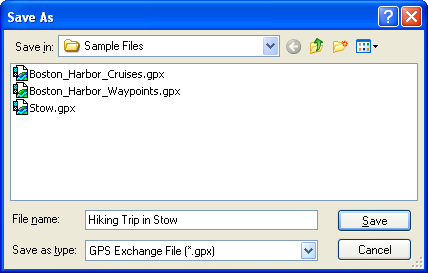
Notes
- The TopoGrafix Data File format (.loc) has been replaced by the GPS Exchange format (GPX). If you open a .loc file, you will be prompted to save it in GPX format.
- GPS Exchange format (GPX) is an open, documented standard for exchanging GPS data. Over 55 other GPS and mapping programs support GPX. If you use a program which does not yet read and write GPX files, please contact the program's author and let them know that GPS data exchange is important to you.



© 1998-2024 TopoGrafix – 24 Kirkland Dr, Stow, MA – Email: support@expertgps.com